이전 minIO로 오픈토푸 백엔드 설정하고 상태를 버전으로 관리할 수 있게 해놨으니 이번엔 Gitea로 전체 IaC 코드 관리를 함
Gitea는 포트가 3000으로 웹콘솔에 들어가면 초기 구성이 보임
SQLite로 하면 바로 가능하지만 너무 간단하니 Postgresql로 붙여보려고 함
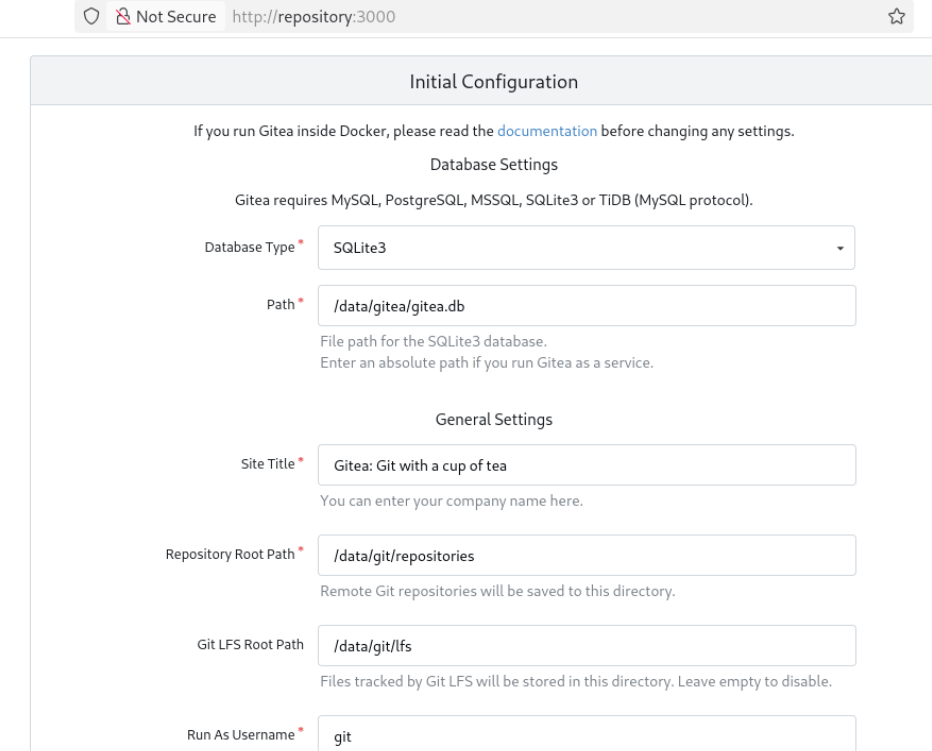
현재 저장소 노드에서 podman으로 gitea 컨테이너가 하나 띄워져있는 상태, sqlite는 걍 하면 되는데 db는 따로 DB용 노드 추가해서 서버 띄우든 로컬에서 db 띄워서 연결하든 컨테이너 띄워서 연결하든 동작하는데 상관은 없다
그렇지만 podman을 사용 중이니까 gitea 컨테이너, db컨테이너 하나씩 묶어서 pod로 관리하게 했음
일단 다시 pod를 만들고 2개 컨테이너를 묶기 위해 지금 실행중인 gitea 컨테이너 지우고 다시 함
[root@IaC tofu-backend]# ssh repository
root@repository's password:
Last login: Mon Nov 10 01:26:43 2025 from 10.0.5.105
[root@repository ~]# podman ps
CONTAINER ID  IMAGE                              COMMAND               CREATED       STATUS       PORTS                                         NAMES
5da5bb73cae8  quay.io/minio/minio:latest         server /data --ad...  15 hours ago  Up 15 hours  0.0.0.0:9000-9001->9000-9001/tcp              minio
9d88017f85a3  docker.io/library/registry:latest  /etc/distribution...  15 hours ago  Up 15 hours  0.0.0.0:5000->5000/tcp                        registry
6c60c79eb1a9  docker.io/gitea/gitea:latest       /usr/bin/s6-svsca...  15 hours ago  Up 15 hours  0.0.0.0:2222->22/tcp, 0.0.0.0:3000->3000/tcp  gitea
[root@repository ~]# podman stop gitea
gitea
[root@repository ~]# podman rm gitea
gitea
이제 pod를 만들어야 하는데, podman의 기본 인프라 컨테이너가 k8s 표준을 따르지 않기 때문에 나중을 위해 k8s에 호환되게 맞춰줌
이전에는 k8s.gcr.io를 썼는데 어떠한 이유로 registry,k8s.io으로 이미지가 권고되므로 이걸 사용
태그 확인 후 설정 파일에 인프라 이미지를 최신 버전으로 명시해줌
[root@repository ~]# podman search registry.k8s.io/pause --list-tags
NAME                   TAG
registry.k8s.io/pause  0.8.0
registry.k8s.io/pause  1.0
registry.k8s.io/pause  2.0
registry.k8s.io/pause  3.0
registry.k8s.io/pause  3.1
registry.k8s.io/pause  3.10
registry.k8s.io/pause  3.10.1
registry.k8s.io/pause  3.2
registry.k8s.io/pause  3.3
registry.k8s.io/pause  3.4.1
registry.k8s.io/pause  3.5
registry.k8s.io/pause  3.6
registry.k8s.io/pause  3.7
registry.k8s.io/pause  3.8
registry.k8s.io/pause  3.9
registry.k8s.io/pause  go
registry.k8s.io/pause  latest
registry.k8s.io/pause  sha256-278fb9dbcca9518083ad1e11276933a2e96f23de604a3a08cc3c80002767d24c.sig
registry.k8s.io/pause  sha256-3d33315f585d65b89f70cba238c3e4f66b96d576b3f40af801ceb1b3c7bfb5b9.sig
registry.k8s.io/pause  sha256-7031c1b283388d2c2e09b57badb803c05ebed362dc88d84b480cc47f72a21097.sig
registry.k8s.io/pause  sha256-81cdb107cabe9d8a8f69ee82ff0f1293ad85e62735937cf25eb14a229bb3ef7b.sig
registry.k8s.io/pause  sha256-8c2f62341a79ce86b566dfb474c87aaf05b916b82a5be44c3a269992a4a31c42.sig
registry.k8s.io/pause  sha256-9001185023633d17a2f98ff69b6ff2615b8ea02a825adffa40422f51dfdcde9d.sig
registry.k8s.io/pause  sha256-9c58577f23aaccd9593f2e47ce2096afbd7781984bd83c496b1a1e7e5276b1bc.sig
registry.k8s.io/pause  sha256-abce690161824d5950c0064ed836f397c6316a833d1abca92b79017d19949482.sig

[root@repository ~]# vi /usr/share/containers/containers.conf
infra_image = "registry.k8s.io/pause:3.10"
그리고 pod를 생성하면 자동으로 인프라 컨테이너 이미지가 땡겨옴
[root@repository ~]# podman pod create --name gitea-postgresql -p 3000:3000 -p 5432:5432
2af7c38b51371673743a82623b9bd6867e1d2d9e6f109f96de3769cf189666db
[root@repository ~]# podman images
REPOSITORY                  TAG         IMAGE ID      CREATED        SIZE
docker.io/gitea/gitea       latest      dbb4b148024b  5 days ago     182 MB
quay.io/minio/minio         latest      69b2ec208575  2 months ago   176 MB
docker.io/library/registry  latest      e4e570676819  7 months ago   58.3 MB
registry.k8s.io/pause       3.10        873ed7510279  17 months ago  742 kB
[root@repository ~]# podman pod ps
POD ID        NAME              STATUS      CREATED         INFRA ID      # OF CONTAINERS
2af7c38b5137  gitea-postgresql  Created     24 seconds ago  19af3d3e0f16  1
그리고 각각 Gitea랑 Postgresql DB 컨테이너를 pod에 붙여 실행시킴
[root@repository ~]# podman run -d --pod gitea-postgresql --name postgresql -e POSTGRES_USER=gitea -e POSTGRES_PASSWORD=1234 -e POSTGRES_DB=gitea postgres:latest
679ac18291c561142960287c24873ee7076ea3d9afd58e41d198a67481956c6a

[root@repository ~]# podman run -d --pod gitea-postgresql --name gitea -v /data/gitea/:/data:Z gitea/gitea:latest
87baa7da2f82290b72fc2fdfda880b19d05174749e321f0504a74193831e2a60
그러고 다시 웹 콘솔로 접근한다. 아까랑 보이는 차이는 없지만 내부적으로 postgresql DB가 연결을 기다리고? 있음
호스트 주소는 저장소로 해주고 컨테이너 실행 시 설정한 변수로 로그인을 하면 됨. 워드프레스 할 때랑 거의 비슷
DB 연결 후에 ID와 비번 등록도 이와 동일

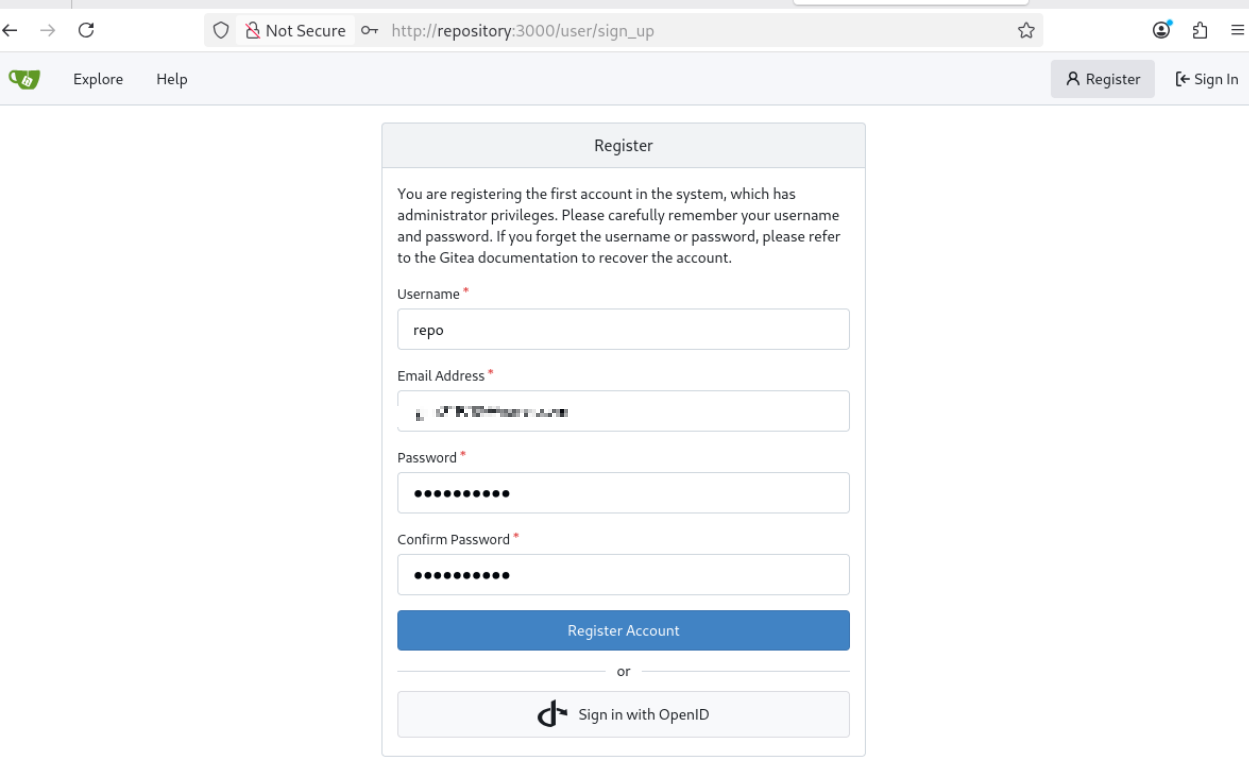
사용법은 github와 비슷하므로 git으로 커밋하기 전에 저장소부터 하나 만듦
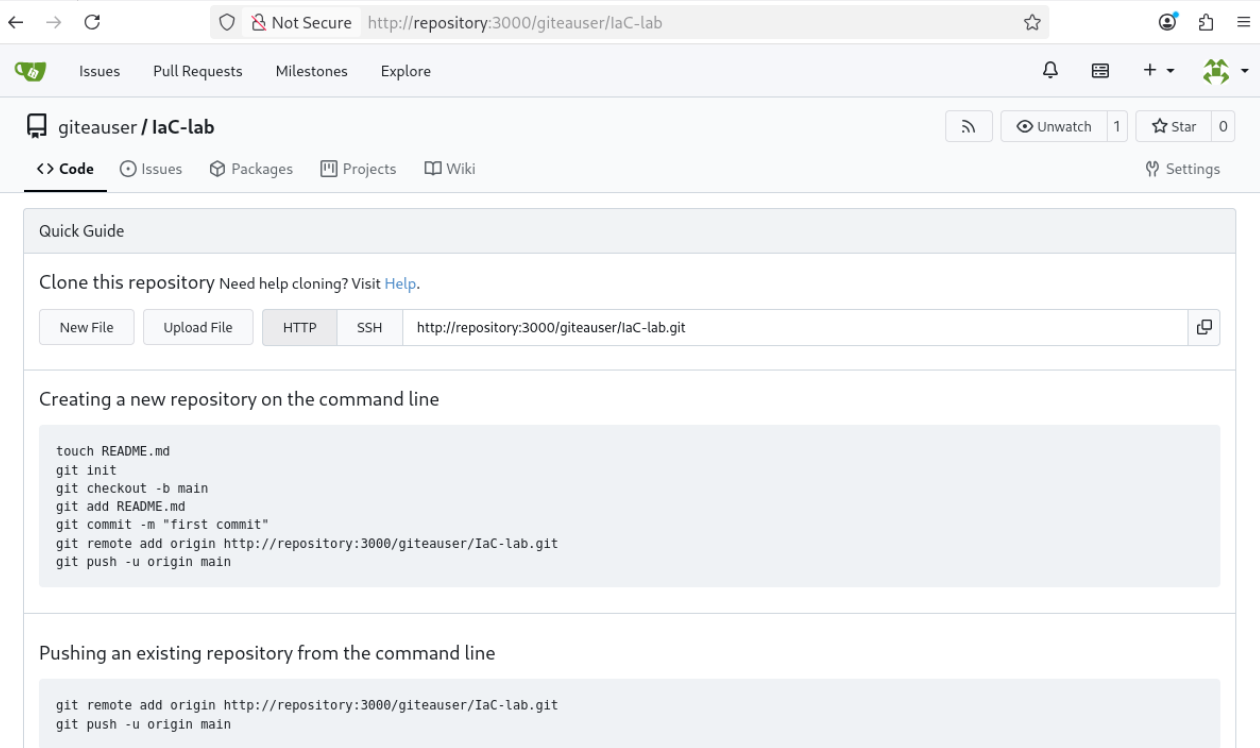
이제 깃 초기화 작업 디렉터리 안 파일 확인하고 쓸데 없는 파일 안 들어가게 .gitignore 만들어줌
[root@IaC ~]# ls
ansible opentofu  tofu-backend
[root@IaC ~]# vi .gitignore
.*
이제 초기화하고 푸시하면 끝
[root@IaC ~]# git init
hint: Using 'master' as the name for the initial branch. This default branch name
hint: is subject to change. To configure the initial branch name to use in all
hint: of your new repositories, which will suppress this warning, call:
hint:
hint:   git config --global init.defaultBranch <name>
hint:
hint: Names commonly chosen instead of 'master' are 'main', 'trunk' and
hint: 'development'. The just-created branch can be renamed via this command:
hint:
hint:   git branch -m <name>
Initialized empty Git repository in /root/.git/
[root@IaC ~]# git add .
[root@IaC ~]# git commit -m "깃티"
[master (root-commit) ecc55e0] 깃티
 Committer: root <root@IaC.lab.io>
Your name and email address were configured automatically based
on your username and hostname. Please check that they are accurate.
You can suppress this message by setting them explicitly. Run the
following command and follow the instructions in your editor to edit
your configuration file:

    git config --global --edit

After doing this, you may fix the identity used for this commit with:

    git commit --amend --reset-author

 24 files changed, 536 insertions(+)
 create mode 100644 ansible/deploy-cons.yaml
 create mode 100644 ansible/disk-setup.yaml
 create mode 100755 ansible/hosts
 create mode 100644 opentofu/hosts.tf
 create mode 100644 opentofu/instances.tf
 create mode 100644 opentofu/inventory.tf
 create mode 100644 opentofu/inventory.tpl
 create mode 100644 opentofu/keypair.tf
 create mode 100644 opentofu/network.tf
 create mode 100644 opentofu/opentofu.tfstate.backup
 create mode 100644 opentofu/output.tf
 create mode 100644 opentofu/provider.tf
 create mode 100644 opentofu/segroup.tf
 create mode 100644 opentofu/terraform.tfstate
 create mode 100644 opentofu/terraform.tfstate.backup
 create mode 100644 opentofu/tfplan-251109221916
 create mode 100644 opentofu/tfplan-251109221916.json
 create mode 100644 opentofu/variables.tf
 create mode 100644 tofu-backend/inventory.tf
 create mode 100644 tofu-backend/output.tf
 create mode 100644 tofu-backend/provider.tf
 create mode 100644 tofu-backend/repo-instance.tf
 create mode 100644 tofu-backend/terraform.tfstate
 create mode 100644 tofu-backend/terraform.tfstate.backup
[root@IaC ~]# git remote add origin http://repository:3000/gituser/IaC-lab.git
[root@IaC ~]# git branch -M main
[root@IaC ~]# git push -u origin main
Username for 'http://repository:3000': gituser
Password for 'http://gituser@repository:3000':
Enumerating objects: 28, done.
Counting objects: 100% (28/28), done.
Delta compression using up to 8 threads
Compressing objects: 100% (27/27), done.
Writing objects: 100% (28/28), 22.70 KiB | 1.13 MiB/s, done.
Total 28 (delta 4), reused 0 (delta 0), pack-reused 0 (from 0)
remote: . Processing 1 references
remote: Processed 1 references in total
To http://repository:3000/gituser/IaC-lab.git
 * [new branch]      main -> main
branch 'main' set up to track 'origin/main'.

이제 minIO랑 Gitea로 버전 관리 파이프라인 구축도 완료했다!
'리눅스 > 실습' 카테고리의 다른 글
| 모니터링 서버 구축해보기-1 (0) | 2025.11.14 |
|---|---|
| ansible로 쿠버네티스 클러스터 구성하기 (0) | 2025.11.11 |
| 내부 저장소 구축과 연동 - 1 (0) | 2025.11.10 |
| IaC 실습하기-3 (0) | 2025.11.10 |
| IaC 실습하기-2 (0) | 2025.11.09 |